Exhibitions and demonstrations
Show how a quadruped stands, turns and moves through a prepared demonstration area, with an operator directing the session.
D1 PRO · REMOTE-CONTROLLED QUADRUPED
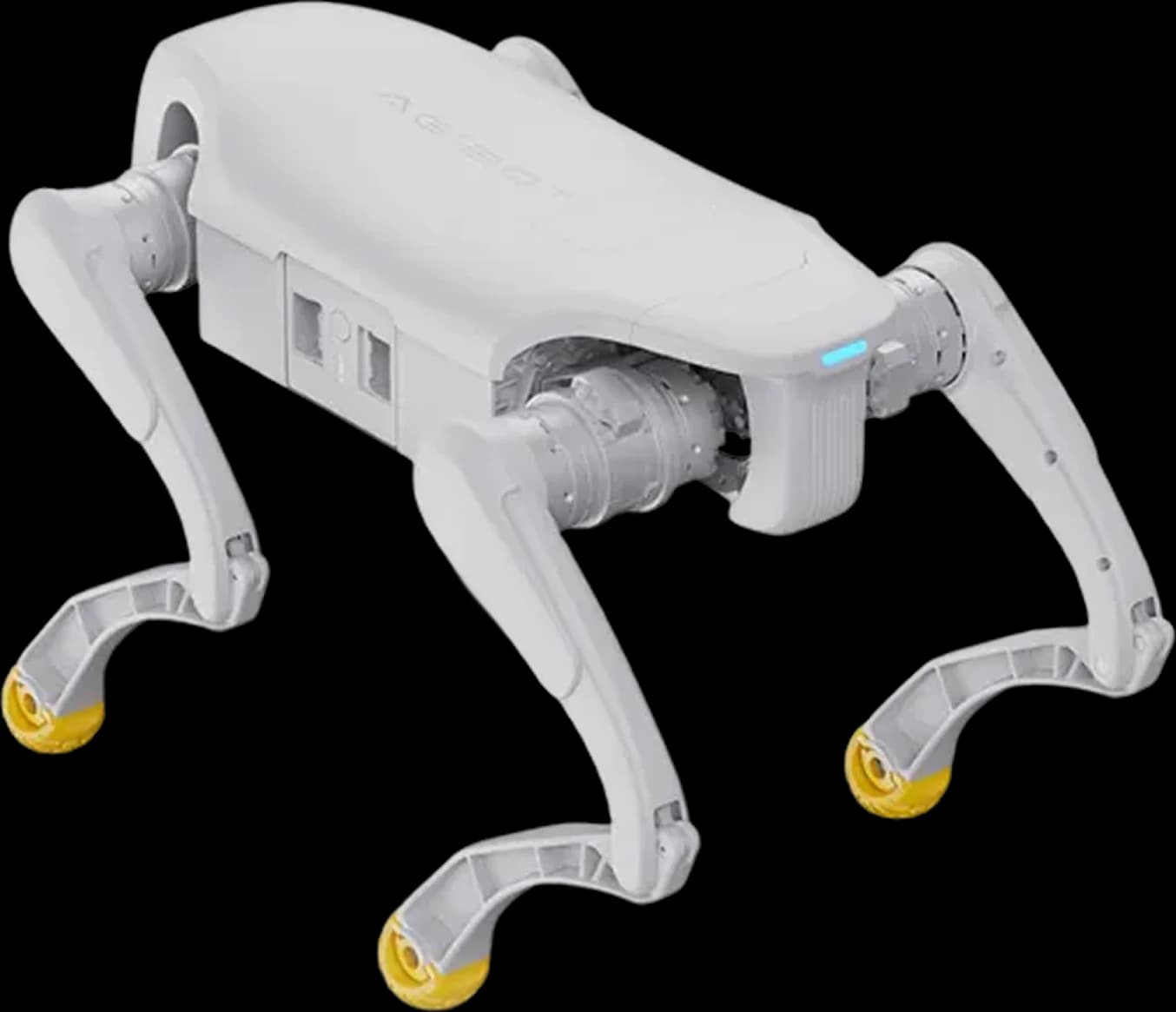
A compact robot dog for bringing legged movement to life. Discuss UK demonstration planning, site preparation and operator training with HRS.
PLATFORM FIT
Compact robot dog for operator-led demonstrations, entertainment and introductions to legged robotics. Pro is part of the Lingxi D1 line in the HRS catalogue; its focus is using the supplied behaviours, not developing your own robot software.
Three degrees of freedom per leg support a range of movements. AGIBOT lists standing, lying down, turning, height adjustment and waving among the available behaviours. Confirm the supplied software and rehearse the chosen sequence.
The manufacturer lists a handheld controller, a camera, an IMU and real-time image transmission. Check the viewing setup and control link for your configuration; keep a direct view of the activity area.
Reinforcement-learning-based gait control supports movement and balance. It does not make Pro a ready-made inspection, person-following or security-patrol system. SDK access and expansion interfaces are not supported on Pro.
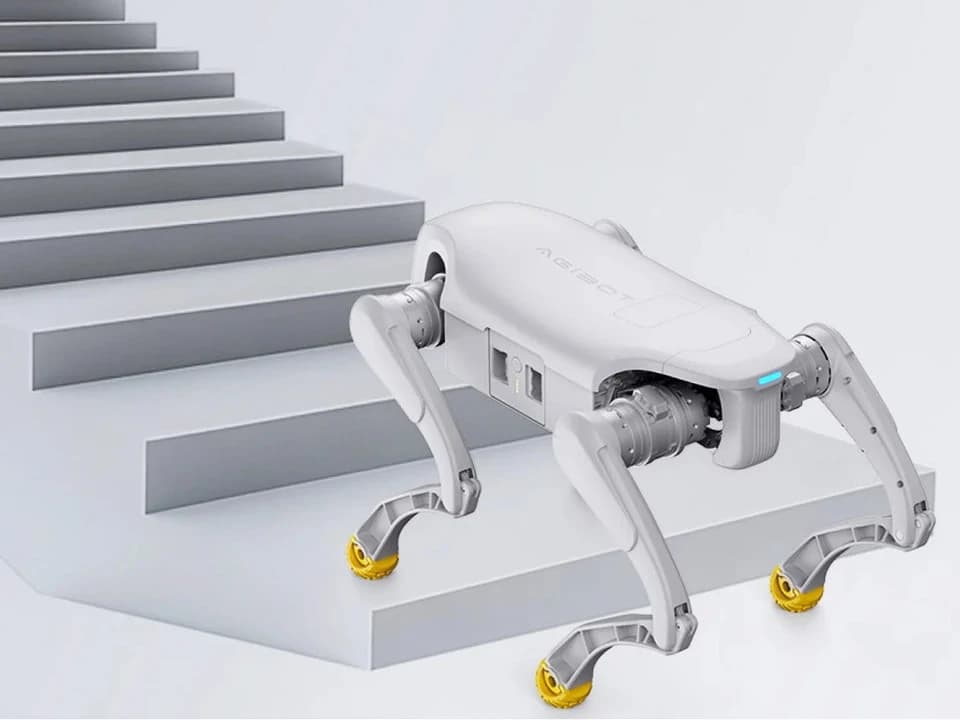
CANDIDATE APPLICATIONS
These are operator-led activities to assess with HRS, not claims of existing customer deployments or unattended operation.
Show how a quadruped stands, turns and moves through a prepared demonstration area, with an operator directing the session.
Introduce audiences to balance, joints and legged movement through a live demonstration. For coding and control-system development, assess D1 EDU instead.
Use available movements within a rehearsed programme. Select behaviours around the space and audience, with separation from moving legs.
Give a team practical experience of remote control, starting and stopping, battery planning and setting up a controlled activity area.
SPECIFICATIONS
Manufacturer figures, based on laboratory testing. Actual performance varies with surface, movement, payload, temperature and battery condition. Maximum speed, payload and stair height are separate ratings, not a promise that they can all be achieved together.
Sources: AGIBOT Pro/EDU specifications and the official D1 Pro store page. Confirm the supplied hardware revision and software before purchase.
Allow for setup, rehearsals and charging between sessions. The stated charging time covers 10–90% only; it is not a one-hour full recharge or a guarantee of continuous event coverage.
Review grip, steps, edges and audience clearance. Plan the demonstration on suitable ground, keep the robot in direct view and follow AGIBOT’s operating instructions.
CHOOSE YOUR PLATFORM
Similar base hardware does not mean the same development access. Choose Pro to operate the supplied robot; assess EDU when the project needs an SDK or integrated payloads.
| At a glance | D1 Pro | D1 EDU |
|---|---|---|
| Weight incl. battery | 15.5 kg | 15.5 kg |
| Maximum speed | Up to 3.5 m/s | Up to 3.5 m/s |
| Effective payload | 5 kg | 5 kg |
| Secondary development (SDK) | Not supported | Supported |
| Expansion interfaces | None | Ethernet · USB · power · SBUS · UART |
EDU’s interfaces and SDK do not mean that LiDAR, a depth camera or additional computing modules are included as standard. Confirm the module package and development scope separately.
Also considering D1 Ultra? Its official specification lists SDK support, expansion interfaces and a maximum speed of 3.7 m/s. Those are Ultra features, not additions to this Pro configuration.
If your programme needs a full-size humanoid stage presence rather than a quadruped, explore AGIBOT A3.
HRS SUPPORT
Tell HRS who will operate the robot, what the audience should see and where it will happen. We can assess suitability and scope the support around that activity.
Select the movements and session length. Check whether the supplied Pro behaviours meet the brief before moving towards a development-capable version.
Review the floor, barriers, clearances and stopping procedure. Plan battery handling and a place for charging away from the demonstration area.
Scope operator familiarisation, pre-use checks and a rehearsal in the intended space. Agree when to pause the session and who is responsible for control.
D1 Pro FAQ
AGIBOT D1 Pro is a 15.5 kg quadruped robot, often called a robot dog, with 12 degrees of freedom and handheld remote control. It is an option for supervised demonstrations, entertainment and introducing audiences to legged robotics.
No. AGIBOT lists secondary development as not supported and expansion interfaces as none for D1 Pro. D1 EDU is the related version with SDK support and Ethernet, USB, power, SBUS and UART interfaces. Do not assume EDU development features are included with Pro.
D1 Pro is presented here as an operator-controlled robot. Its reinforcement-learning-based gait control helps manage movement, but is not evidence of autonomous route planning, person following or a ready-made patrol service. Discuss a development-capable model if those are requirements.
AGIBOT gives an operating time of around 1–2 hours and charging of around one hour from 10% to 90%. The battery is rated at 4.6 Ah and 43.2 V. These are manufacturer figures; runtime varies with movement, payload, surface, temperature and battery condition. The charging figure is not a full 0–100% cycle.
The manufacturer lists an effective payload of 5 kg. Any carried item needs a suitable attachment and a stability assessment; this rating does not provide powered expansion interfaces or guarantee performance on every surface. D1 Pro is not a seat and must not carry a person.
Contact HRS with the venue, audience, planned activity and timing. We can assess whether D1 Pro is suitable, discuss demonstration arrangements and scope site preparation and operator training. Availability and the supplied configuration are confirmed during the enquiry.
YOUR NEXT STEP
Share your venue, audience and timing. HRS will help assess D1 Pro and discuss the next steps for a supervised UK demonstration.