Contact-aware grasping research
Study how contact readings change across selected objects and hand poses. Develop and evaluate your own response to that feedback.
OMNIHAND 2025 TACTILE · CONTACT SENSING
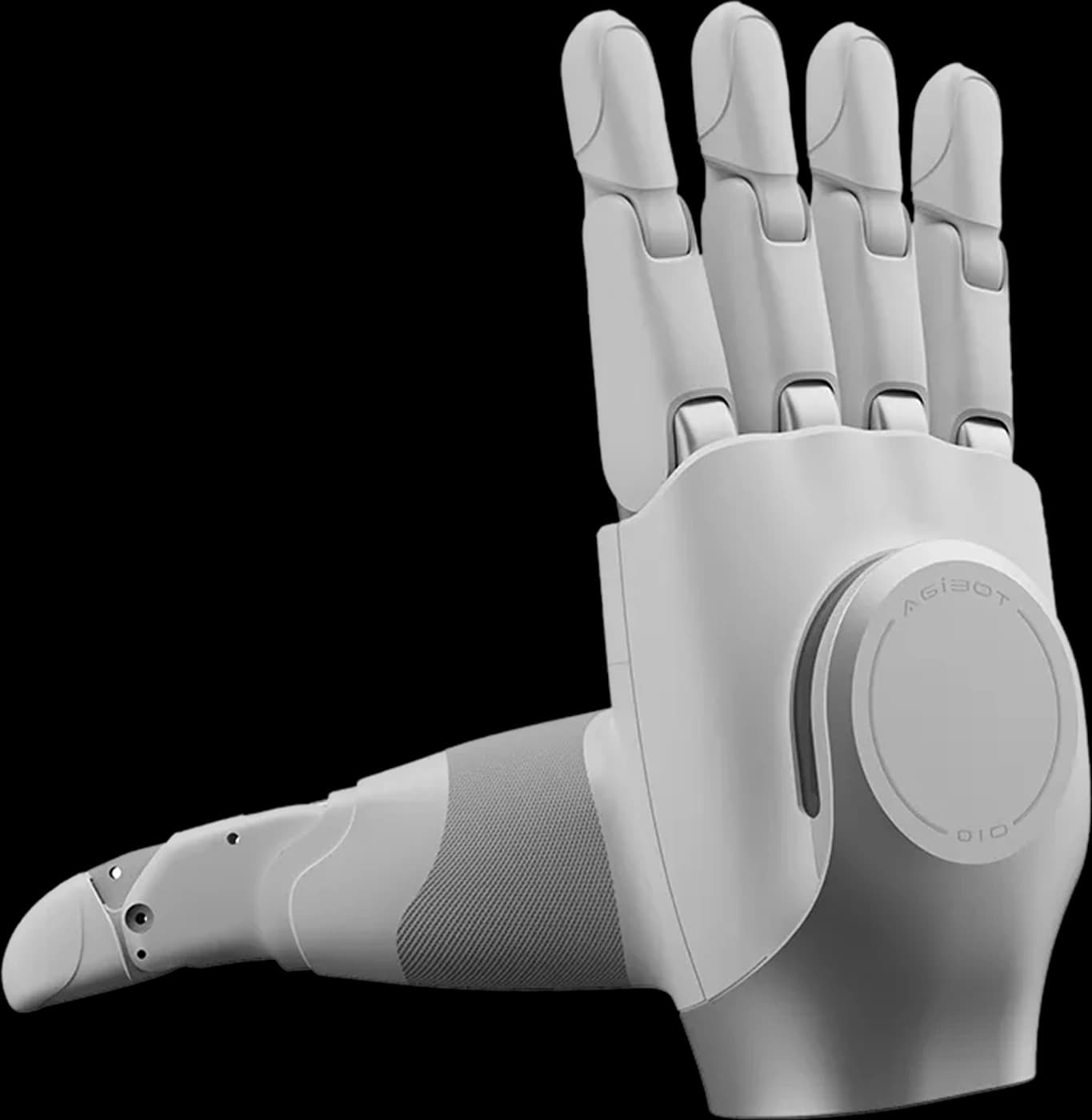
Measure contact, then develop the response. Explore a tactile robot hand with HRS for UK manipulation research, sensing experiments and supervised demonstrations.
CONTACT FEEDBACK
A five-finger robotic hand with one-dimensional force sensing at the fingertips, palm and back of the hand, for contact measurement and manipulation research.
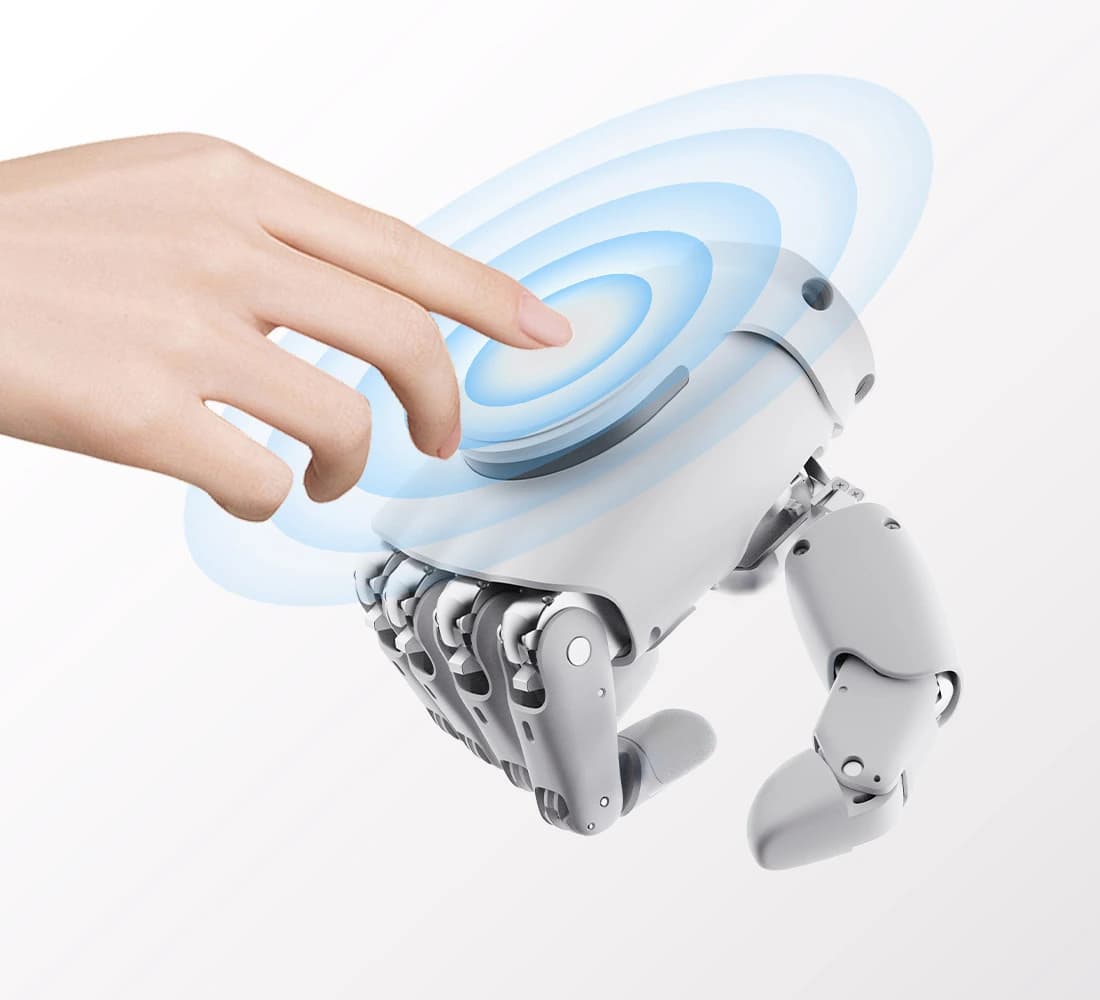
The tactile configuration senses contact at the fingertips, palm and back of the hand. Select the relevant regions for the object and motion you want to study.
AGIBOT’s host software includes a tactile panel showing contact distribution and regional totals. This gives a visual way to examine a controlled contact trial.
Measurements are the input to your controller, not a finished grasping strategy. Define how the application responds, then validate retention, release and stopping behaviour.
CANDIDATE APPLICATIONS
Four development directions to assess with HRS. Each needs suitable integration, test conditions and safety review.
Study how contact readings change across selected objects and hand poses. Develop and evaluate your own response to that feedback.
Plan a CAN-FD data-capture setup for repeatable contact trials. Define the sensing regions, test conditions and measurements your project needs.
Explore the difference between commanded movement and measured contact. Introduce sensor resolution, feedback and control in a supervised lab.
Prototype a defined response to contact with the hand. Review motion limits, stopping arrangements and supervision before any interaction trial.
SPECIFICATIONS
Manufacturer figures for the OmniHand 2025 Tactile version. Timing and repeatability are typical values. Results depend on the configuration, object, control settings and operating conditions.
Sources: AGIBOT technical specifications, English user manual and official product page.
Sensor resolution describes the measurement increment, not its accuracy. The tactile sensing range is not the hand’s payload or overall grip force. Assess each grasp using the object, contact arrangement and intended motion.
DATA & CONTROL
Choose the connection around the measurements your project needs.
The manufacturer’s manual specifies original pressure data over CAN-FD, not USB-C. A host-software tactile display is not the same as raw-data access over USB.
Review the SDK, firmware and hardware revision together. Check mounting and cable clearances, and provide the separate 24 V supply specified in the installation instructions.
Define the response to contact in application software. One-dimensional force sensing does not establish automatic slip classification, three-axis measurement or a ready-made autonomous grip.
CHOOSE YOUR HAND
The standard hand suits programmed gestures and grasping trials. Choose the Tactile configuration when contact feedback is part of the development task.
| At a glance | OmniHand 2025 | OmniHand 2025 (Tactile) |
|---|---|---|
| Degrees of freedom | 16 total · 10 active | 16 total · 10 active |
| Dimensions | 180 × 85 × 38.5 mm | 180 × 85 × 38.5 mm |
| Development interfaces | CAN-FD / RS485 | CAN-FD / RS485 |
| Tactile sensors | Not fitted · standard version | 1D force sensing · fingertips, palm and back of hand |
For a different joint architecture and three-dimensional fingertip sensing, compare OmniHand Pro 2025. Explore the wider hands, grippers and developer kits for other designs.
HRS SUPPORT
Bring your contact-sensing requirements to HRS. We can help scope a UK trial around the hand, controller and task.
Share sample objects, contact areas and the feedback you need. Agree measurable trial objectives before selecting the configuration.
Assess the robot or rig, mounting, power and data connection. Specify any adapters and accessories separately from the hand.
Plan operator training, clearances and controlled contact tests. Tactile feedback does not replace a safety review or appropriate stopping arrangements.
OmniHand 2025 Tactile FAQ
OmniHand 2025 Tactile is a five-finger robot hand with one-dimensional contact-force sensing at the fingertips, palm and back of the hand. It has 16 total degrees of freedom, including 10 actively driven degrees of freedom, for tactile sensing and manipulation development.
Both versions share the same listed dimensions, 16 total degrees of freedom and 10 active degrees of freedom. The standard version has no tactile sensors. Tactile adds contact-force measurements for experiments that need feedback from the hand, rather than commanded movement alone.
AGIBOT specifies one-dimensional force sensing at the fingertips, palm and back of the hand, with 0.1 N sensor array resolution and a 0–20 N sensing range. Resolution is not the same as measurement accuracy, and the sensing range is not a payload or overall grip-force rating.
No. AGIBOT’s manual specifies original pressure data over CAN-FD, not USB-C. Its host software includes a tactile display, but that display should not be treated as raw-data access over USB. Plan the CAN-FD connection and matching SDK, firmware and hardware for a data-capture project.
Contact sensing provides measurements; it does not by itself create an automatic grasp controller. Your application must interpret the feedback, set the response and validate the behaviour with the intended objects. Do not assume three-dimensional force sensing or automatic slip classification from this version’s one-dimensional sensors.
Check the mounting flange, fixing points, cable clearances, controller and software interface. AGIBOT’s installation instructions specify a separate 24 V power supply; USB does not replace it. Development interfaces are CAN-FD and RS485, with CAN-FD required for original pressure data. Integration and safe operation must be assessed for the intended arm or test rig.
Contact HRS with your robot or test rig, sample objects, required contact measurements and timing. We can assess the configuration and discuss a supervised UK demonstration, integration planning and operator training. Mounting, interfaces, power and any accessories are agreed during the enquiry.
YOUR NEXT STEP
Tell us about your sensing experiment, robot or test rig and timing. We can discuss an OmniHand Tactile configuration and a supervised UK demonstration.