Manipulation research
Evaluate object retention, reorientation and release with defined hand poses. Test the complete sequence alongside the intended arm motion.
OMNIHAND PRO 2025 · DEXTEROUS MANIPULATION
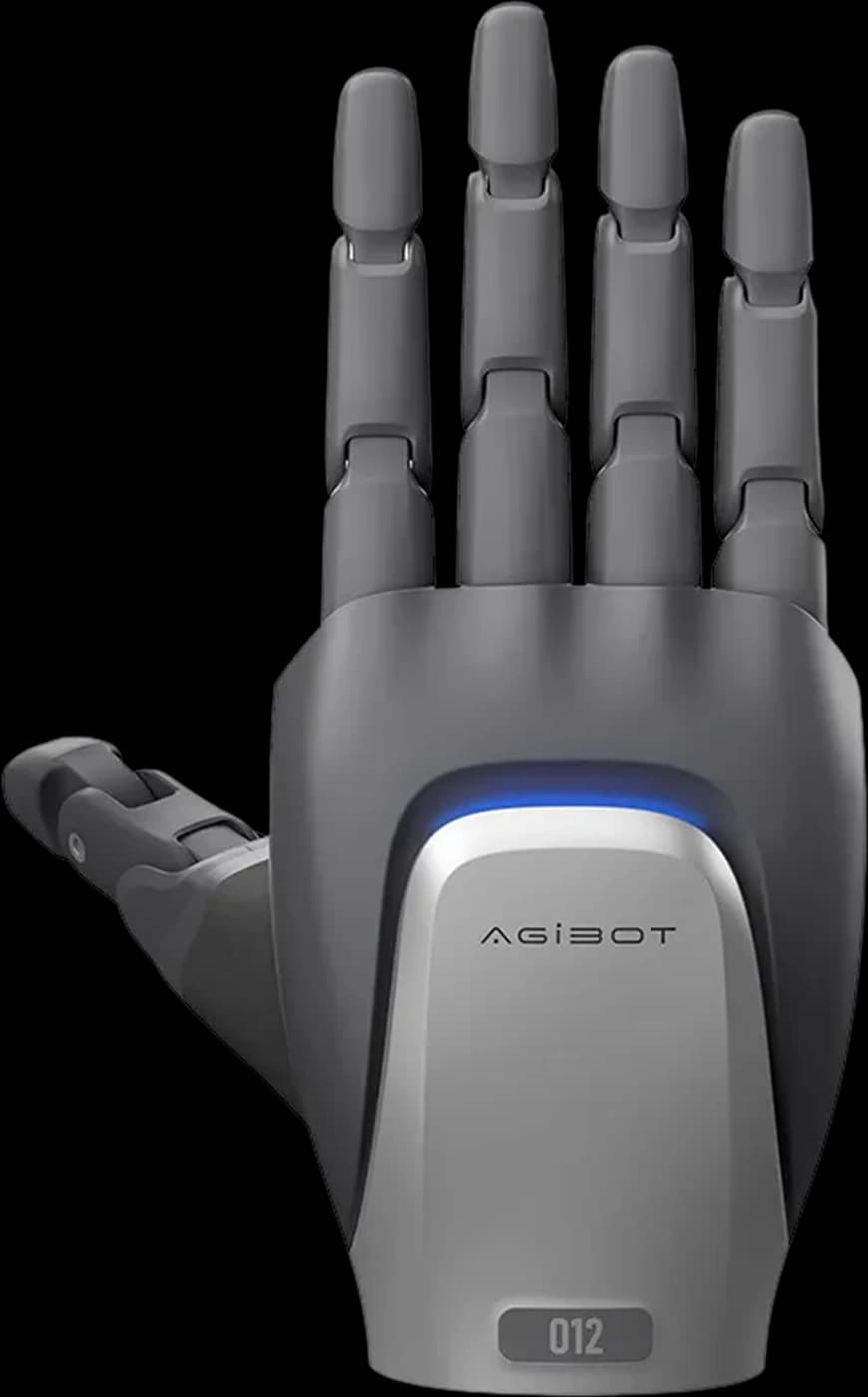
Develop the grasp, the movement and the feedback together. Explore the Pro hand with HRS for UK robotics research, grasp-control development and supervised demonstrations.
PLATFORM FIT
A five-finger robot hand with 19 total degrees of freedom, 12 active axes and three-dimensional fingertip force sensing, for manipulation and grasp-control development.
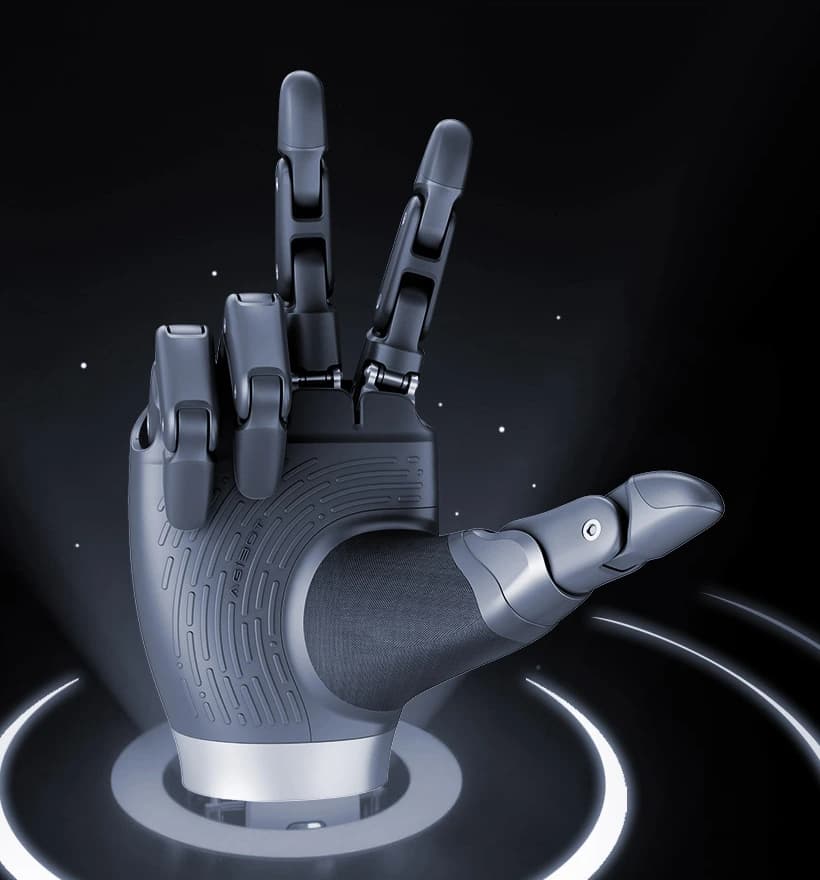
Pro combines actively driven and mechanically coupled joints. Use the manufacturer’s joint definitions to plan finger placement, thumb opposition and clearance around the object.
Three-dimensional fingertip sensing adds information about normal and tangential contact forces. This supports experiments where the direction of contact matters, not just whether contact occurred.
Connect the hand to your controller through CAN-FD. Object selection, arm coordination and the response to force measurements remain application-development tasks.
CANDIDATE APPLICATIONS
Four project directions to assess with HRS. Each needs task-specific integration, risk review and measurable acceptance criteria.
Evaluate object retention, reorientation and release with defined hand poses. Test the complete sequence alongside the intended arm motion.
Use fingertip force measurements to investigate a task-specific feedback strategy. Define response limits and validate behaviour with selected objects.
Explore grip geometry with unpowered, non-hazardous tools or test pieces in a controlled rig. Assess each object and orientation separately.
Study active and coupled joints, multi-dimensional contact sensing and CAN-FD integration. Build repeatable experiments with documented test conditions.
SPECIFICATIONS
Manufacturer figures for OmniHand Pro 2025. Opening and closing time is a typical minimum; repeatability is also a typical value. Practical results depend on hardware configuration, control settings, the object and operating conditions.
Sources: AGIBOT technical specifications, English user manual and official product page.
The sensing range describes tactile measurement, not a safe payload or an overall grip-force rating. Resolution is not accuracy. Validate retention and release for each object, grip orientation and arm movement.
INTEGRATION & CONTROL
Plan the mechanical, electrical and software setup as one system.
Check the flange, adapter and cable space. AGIBOT’s electrical-interface instructions give a typical 24 V supply. Switch the hand off before connecting or disconnecting power and signal cables; hot-plugging is not supported.
The manufacturer documents joint commands and secondary development. Review the matching firmware and developer tools, required feedback fields and bus setup before designing the application.
Windows host software provides joint control, saved actions and monitoring. Use logs and defined test conditions to evaluate behaviour; sensing alone does not provide a validated autonomous grasp controller.
CHOOSE YOUR HAND
Tactile covers one-dimensional contact measurements across several hand regions. Pro offers a different joint architecture and three-dimensional fingertip sensing.
| At a glance | OmniHand 2025 (Tactile) | OmniHand Pro 2025 |
|---|---|---|
| Degrees of freedom | 16 total · 10 active | 19 total · 12 active |
| Dimensions | 180 × 85 × 38.5 mm | 207 × 98 × 56 mm |
| Development interfaces | CAN-FD / RS485 | CAN-FD |
| Tactile sensors | 1D force sensing · fingertips, palm and back of hand | 3D force sensing · fingertips |
For programmed gestures and grasping trials without tactile sensors, see standard OmniHand 2025. Browse all hands, grippers and developer kits for other end-effector formats.
For a grasp-and-release task using an adaptive gripper, explore OmniPicker.
HRS SUPPORT
HRS can help scope a UK demonstration around your object, robot arm and control requirements.
Review object geometry, surfaces, orientation and the intended sequence. Set acceptance criteria for retention, movement and release.
Check the wrist interface, power, CAN-FD connection and software requirements. Define the hand and accessories separately from the arm or test rig.
Agree operator training, object containment, finger clearances and stopping procedures. Review risks before motion testing or demonstrations.
OmniHand Pro 2025 FAQ
OmniHand Pro 2025 is a five-finger robotic end effector for dexterous manipulation development. It has 19 total degrees of freedom, including 12 actively driven axes, three-dimensional force sensing at the fingertips and a CAN-FD control interface.
Pro has 19 total degrees of freedom and 12 active axes, compared with 16 total and 10 active on OmniHand 2025 Tactile. Pro provides three-dimensional fingertip force sensing; Tactile provides one-dimensional sensing at the fingertips, palm and back of the hand. Their dimensions and control interfaces also differ, so select around the task rather than assuming a direct replacement.
It measures contact force in three dimensions, including force normal to the finger surface and tangential force along it. AGIBOT specifies 0.1 N sensor array resolution and a 0–50 N sensing range. Resolution is not measurement accuracy, and this range is not a payload rating.
Do not assume a ready-made slip detector or automatic grasp controller. Fingertip force measurements can inform your application, but feedback interpretation, control logic and validation are part of the integration. Agree the required software functions and test them with the intended objects and supplied configuration.
Yes. AGIBOT documents secondary development through CAN-FD, with joint commands and status information. Its Windows host software supports joint control, saved actions, monitoring and logging. Match the hardware, firmware, developer tools and required data fields before integrating the hand; not every documented field should be assumed available in every configuration.
Review the flange, adapter, cable clearance, power supply and CAN-FD connection against the manufacturer’s installation instructions. The electrical-interface section gives a typical 24 V supply. Power and signal cables must not be hot-plugged: switch the hand off before connecting or disconnecting them. A mechanical fit alone does not establish complete arm compatibility.
Share your robot or test rig, example objects, intended manipulation and control requirements with HRS. We can assess the setup and discuss a supervised UK demonstration, integration planning and operator training. Demonstration hardware, mounting and accessories are agreed during the enquiry.
YOUR NEXT STEP
Share the object, motion and feedback your project needs. We can discuss an OmniHand Pro configuration and a supervised UK demonstration.