Light-duty pick-and-place
Assess a defined set of objects and placements. Establish a reliable approach, grasp and release before increasing sequence complexity.
OMNIPICKER · ADAPTIVE GRASPING
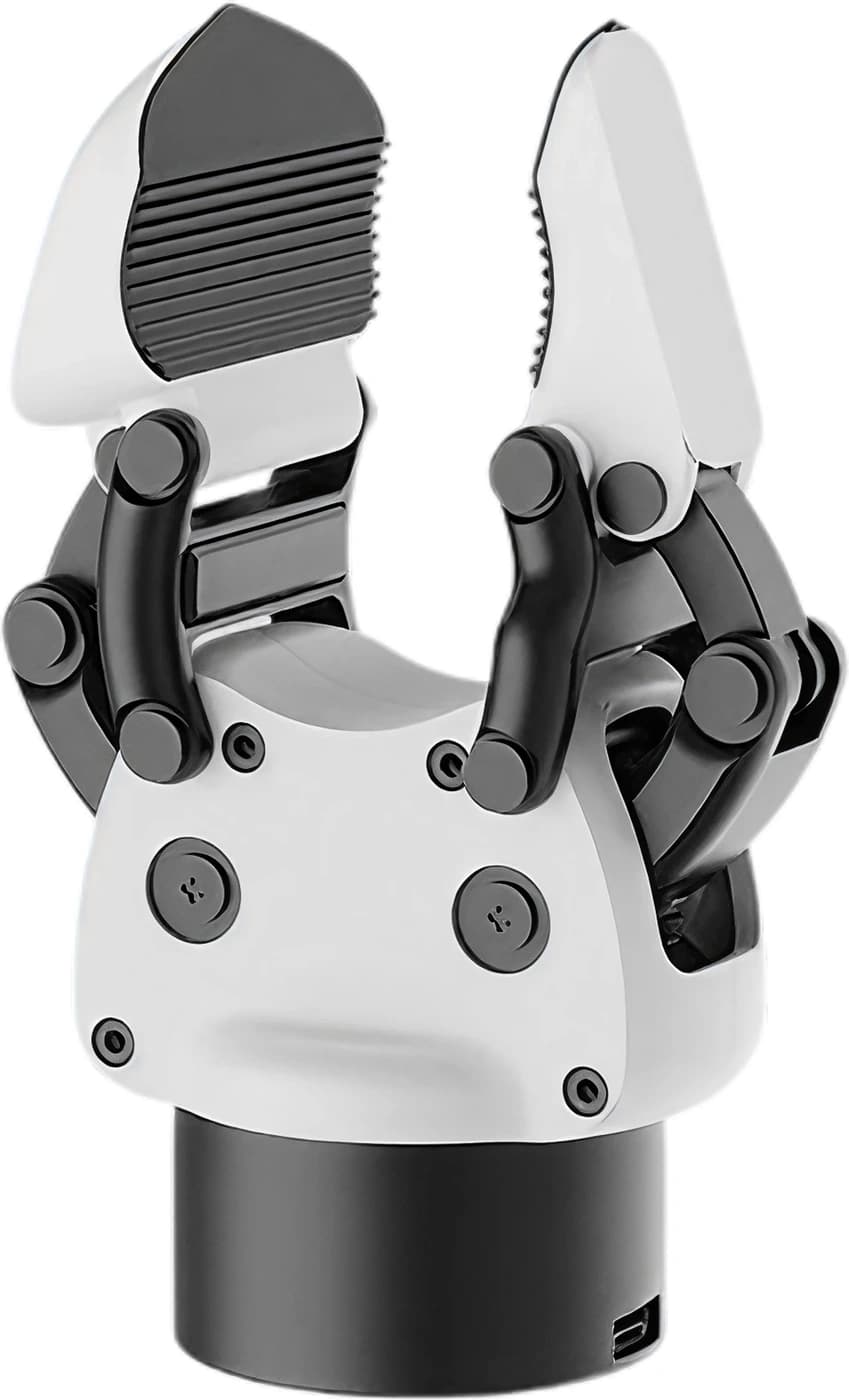
Make the grasp part of a well-planned system. Explore a lightweight gripper with HRS for UK handling trials, robotics labs and end-of-arm integration.
PLATFORM FIT
A lightweight adaptive gripper with one active degree of freedom and adjustable gripping force, for light-duty handling, grasping trials and robot integration.
The linked fingers accommodate different object shapes. Start with the contact area and available clearance, then test how the object is retained.
The documented controls include position, speed and force commands. Set limits for the task and validate their effect with the intended objects.
An adaptive gripper does not choose or locate objects by itself. Plan perception, approach motion and stopping behaviour in the wider application.
CANDIDATE APPLICATIONS
Four project directions to assess with HRS, each with its own integration and safety requirements.
Assess a defined set of objects and placements. Establish a reliable approach, grasp and release before increasing sequence complexity.
Explore how shape, surface and finger contact affect retention. Compare results using the same objects and recorded test conditions.
Add a gripper to a planned collection rig. Cameras, recording software and arm coordination are separate parts of the system design.
Build supervised exercises around actuator commands, bus communication and handling sequences. Use safe test pieces and a controlled workspace.
SPECIFICATIONS
Manufacturer figures for OmniPicker. Opening and closing time is a typical value. Practical performance depends on the object, grip geometry, control settings and operating conditions. Interface modes depend on the hardware configuration and firmware.
Source: AGIBOT’s English OmniPicker product manual.
Force acts at the grasp; payload describes carried mass. Check retention and release for the actual surface, orientation and arm acceleration. Keep trials within the manufacturer’s recommended limits and use containment where a dropped object could cause harm.
INTEGRATION & CONTROL
Mechanical mounting, power and software need to be planned together.
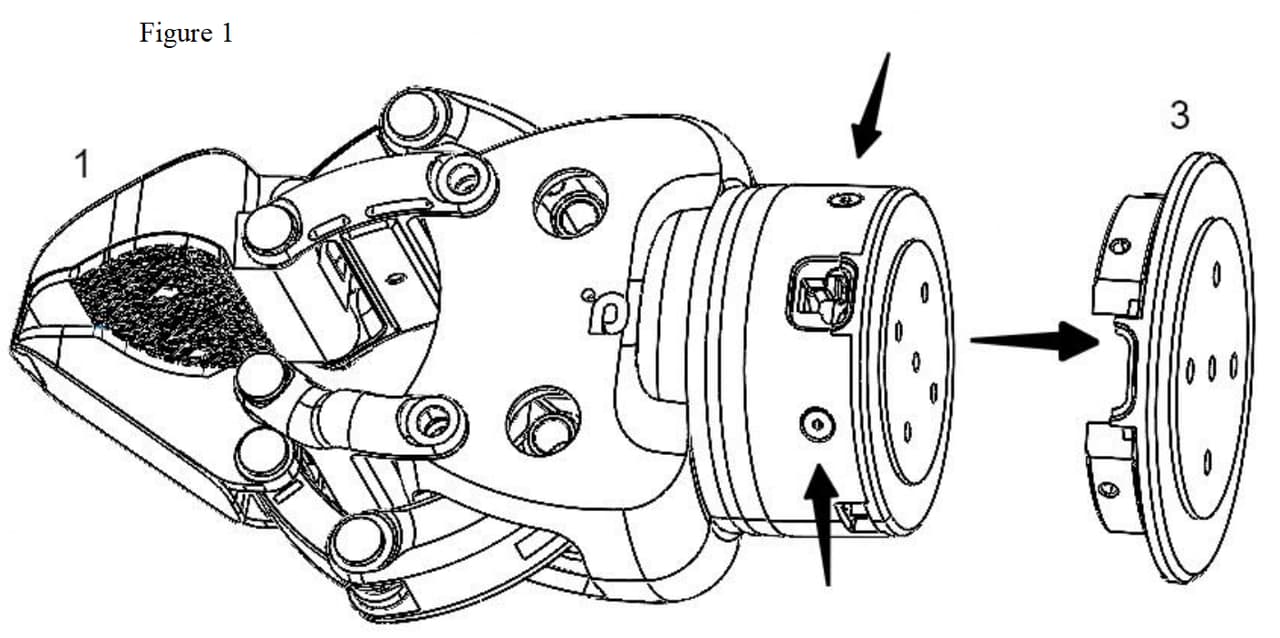
AGIBOT documents an X1 installation example and adapter drawings for other arms. Review the flange, fixings, orientation and cable clearance for your chosen platform; a matching bolt pattern is only part of compatibility.
CAN/CAN-FD is the default mode. Alternative interfaces require the appropriate configuration; Modbus RTU requires firmware 3.3.5 or later. Use the pinout for the supplied hardware revision. USB-C connects to the Windows host tool; plan the specified external power supply separately.
Keep fingers and objects clear at power-on: the gripper automatically closes to its zero position. Switch off before connecting or disconnecting power and signal cables. Complete a risk assessment before powered testing.
CHOOSE YOUR END EFFECTOR
Choose the mechanism around the task, rather than the number of joints. OmniPicker and OmniHand serve different contact and motion requirements.
| At a glance | OmniPicker | OmniHand 2025 |
|---|---|---|
| Format | Adaptive gripper | Five-finger hand |
| Degrees of freedom | 1 active | 16 total · 10 active |
| Development interfaces | CAN / CAN-FD / RS485 / serial / Modbus RTU | CAN-FD / RS485 |
| Project focus | Grasp, retain and release selected objects | Programmed gestures and multi-finger grasping trials |
For multi-finger projects requiring contact measurements, explore OmniHand 2025 Tactile or OmniHand Pro 2025. Each has its own sensing and control architecture.
HRS SUPPORT
HRS can help scope an OmniPicker demonstration around your handling task and intended robot.
Review sample geometry, surfaces and mass. Agree what successful retention and release should look like.
Identify the adapter, power, cabling and control requirements. Define what is included in the proposed configuration.
Plan operator training, workspace clearances and stopping procedures. Use suitable test objects and review risks before operation.
OmniPicker FAQ
OmniPicker is an adaptive robot gripper with one active degree of freedom, an integrated actuator and adjustable gripping force. It is an end effector for integration with a robot or test rig, not a standalone picking system. This page covers OmniPicker, not the separate OmniPicker 3 model.
OmniPicker uses an adaptive gripper mechanism driven by one active axis. OmniHand models use five fingers and multiple active joints for gestures and more varied hand poses. Choose around the required contact geometry and sequence: a grasp-and-release task does not necessarily need a multi-finger hand.
AGIBOT specifies a maximum gripping force of 30 N, a maximum stroke of 120 mm and a maximum recommended payload of 1.5 kg. Grip force and carried mass are different measures. Validate retention with the intended object, surface, orientation and arm acceleration; the payload figure is not a guarantee for every grasp.
AGIBOT documents CAN, CAN-FD, RS485, serial and Modbus RTU. CAN/CAN-FD is the default interface; other modes require the appropriate hardware configuration and firmware. Modbus RTU requires firmware 3.3.5 or later. A USB-C connection is used with the Windows host tool for setup and commands.
AGIBOT provides mounting drawings for designing an adapter to other arms. Check the flange, fixing points, cable routing, 24 V DC supply and control interface together. Follow the pinout for the supplied hardware revision, and switch off before connecting or disconnecting power or signal cables; hot-plugging is not supported.
No. The adaptive mechanism and force commands control the grasp. Object recognition, target selection, approach motion and coordination with an arm require a separate application. Evaluate these functions as part of the complete system, with supervised trials and suitable stopping arrangements.
Send HRS details of your arm or test rig, sample objects and intended handling sequence. We can assess suitability and discuss a supervised UK demonstration, integration planning and operator training. Hardware, adapters, cables and any additional equipment are agreed during the enquiry.
YOUR NEXT STEP
Tell us about your objects, robot arm and handling sequence. We can discuss an OmniPicker setup and a supervised UK demonstration.